Return to Scanner

WCAG Compliance Guide

Professional Guide to Digital Accessibility Excellence

This comprehensive guide provides step-by-step instructions for achieving and maintaining WCAG 2.2 Level AA compliance using advanced AI-powered scanning technology. Designed for accessibility professionals, compliance officers, and development teams committed to creating inclusive digital experiences.

Introduction

Introduction

Understanding Digital Accessibility Compliance

In today's digital landscape, web accessibility is not merely a best practice—it is a legal requirement, a competitive advantage, and a fundamental commitment to inclusion. This guide provides comprehensive instructions for leveraging the WCAG Scanner to achieve and maintain WCAG 2.2 Level AA compliance across your digital properties.

Key Capabilities

  • Comprehensive coverage of all WCAG 2.2 Level AA success criteria
  • AI-powered analysis that goes beyond traditional rule-based checking
  • Real-time insights enabling immediate remediation
  • Actionable solutions tailored to your specific codebase
  • Direct PDF URL scanning with compliance scores and violation breakdowns
  • YouTube and Vimeo video accessibility auditing via iframe detection
Chapter 1

Comprehensive WCAG 2.2 AA Compliance Analysis

Complete Coverage Across All Principles and Guidelines

Achieve complete visibility into your website's compliance status with comprehensive coverage of all 78+ WCAG 2.2 Level AA success criteria.

Step-by-Step Process

1

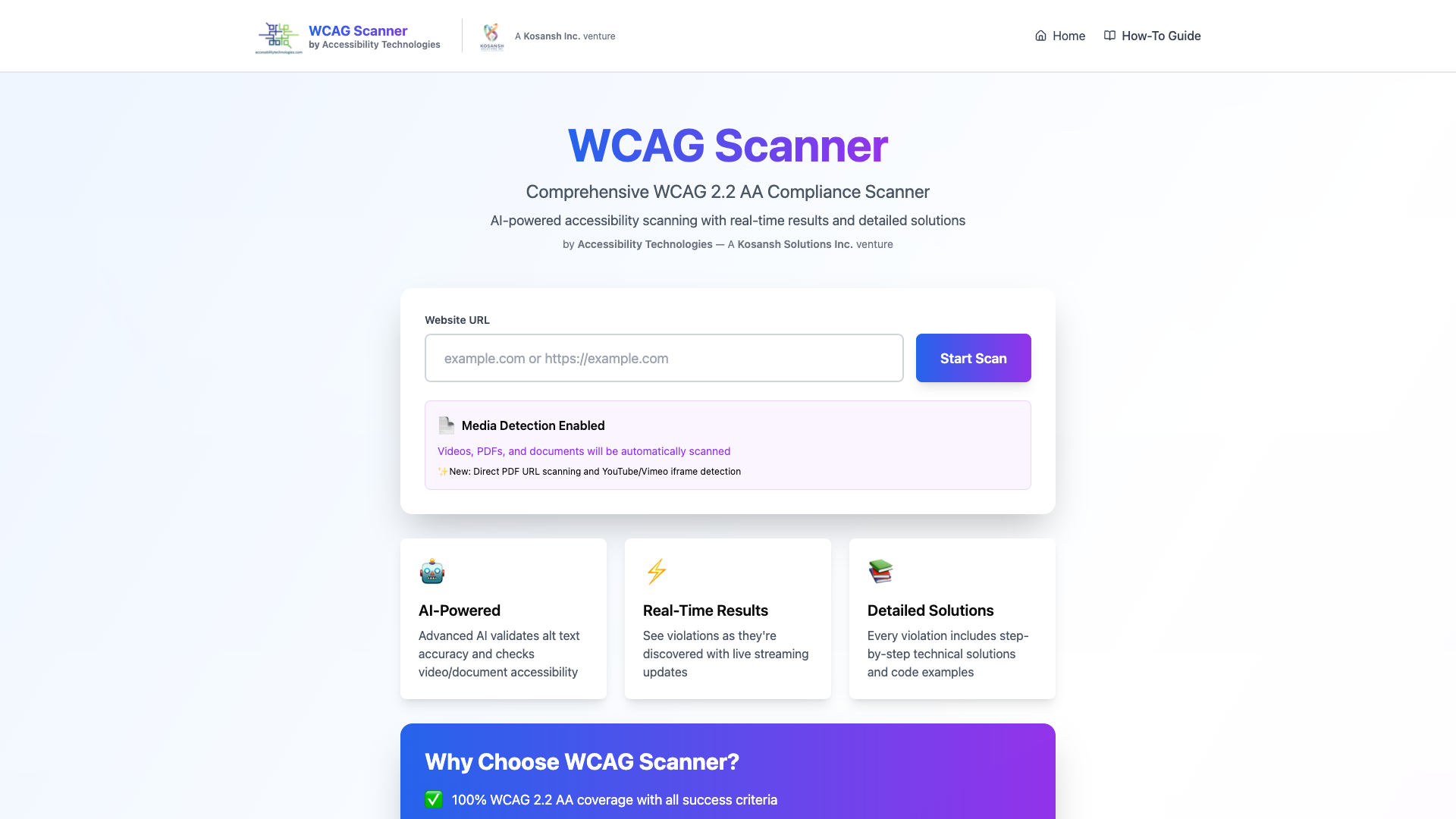
Initiate Your Compliance Assessment

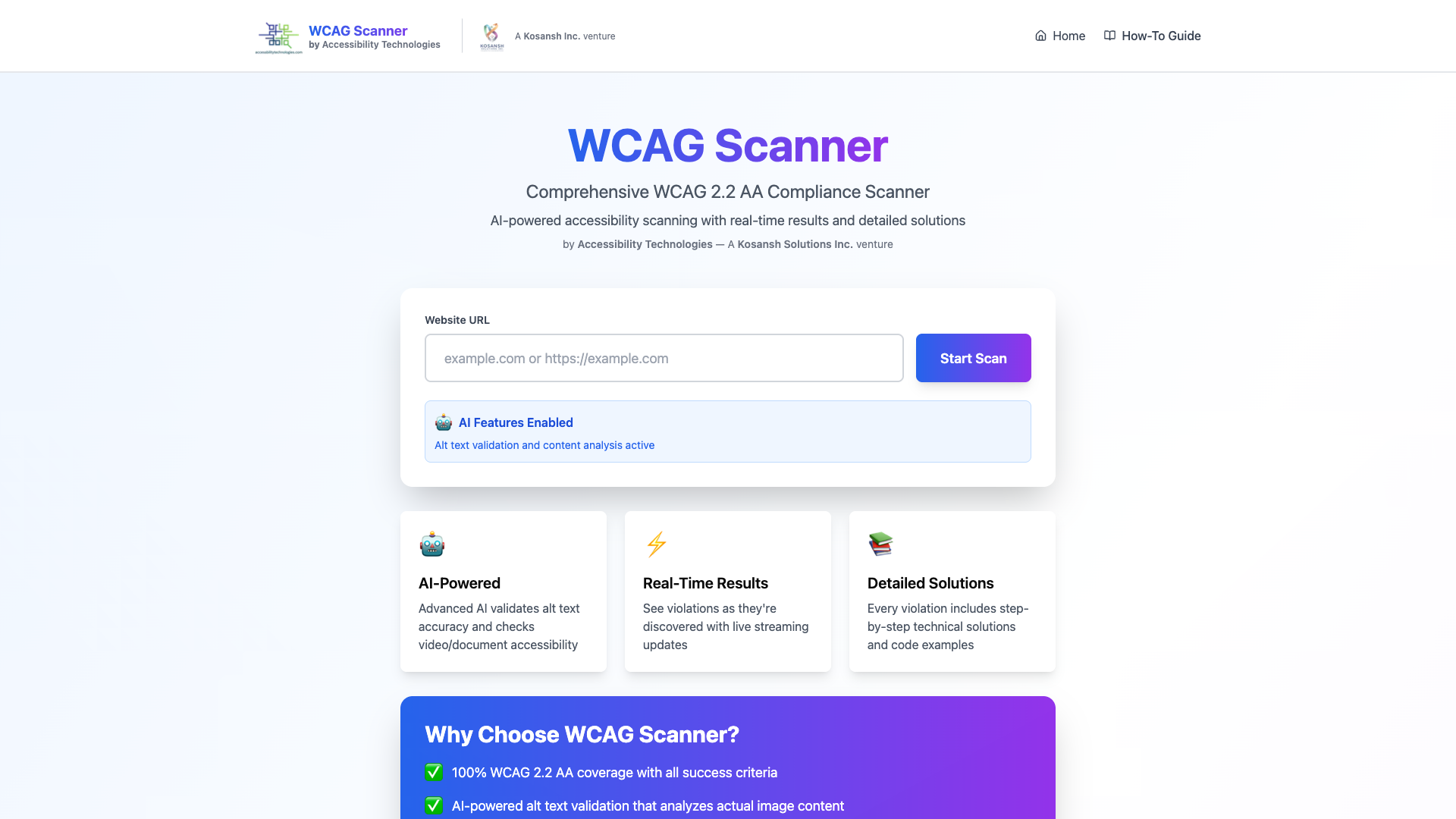
Navigate to the scanner homepage and enter your website URL. The system accepts any valid web address, with or without protocol specification.

2

Monitor Real-Time Analysis

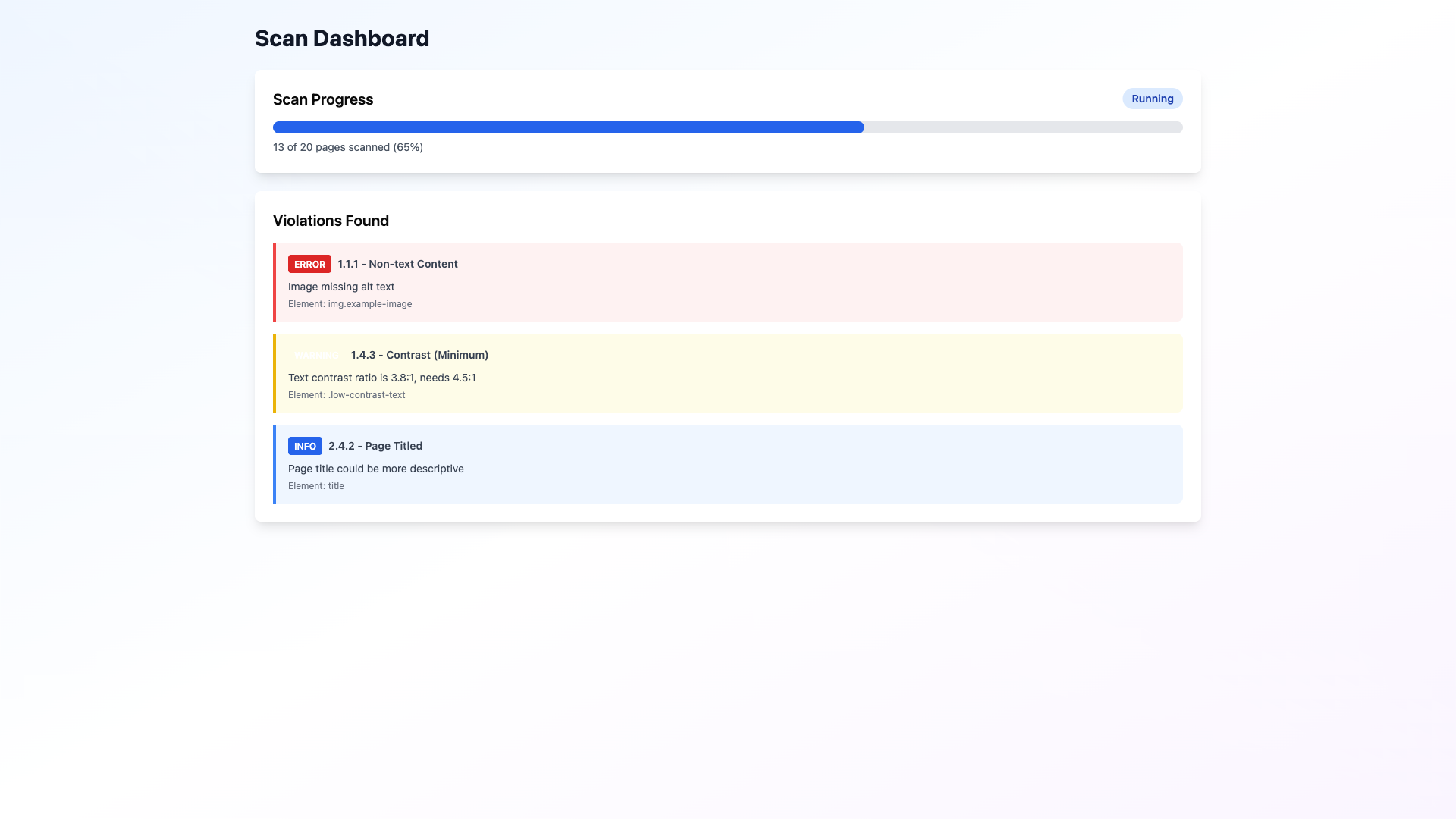
Upon initiating the scan, you are automatically redirected to an interactive dashboard displaying live progress and compliance metrics as analysis progresses.

3

Review Violation Inventory

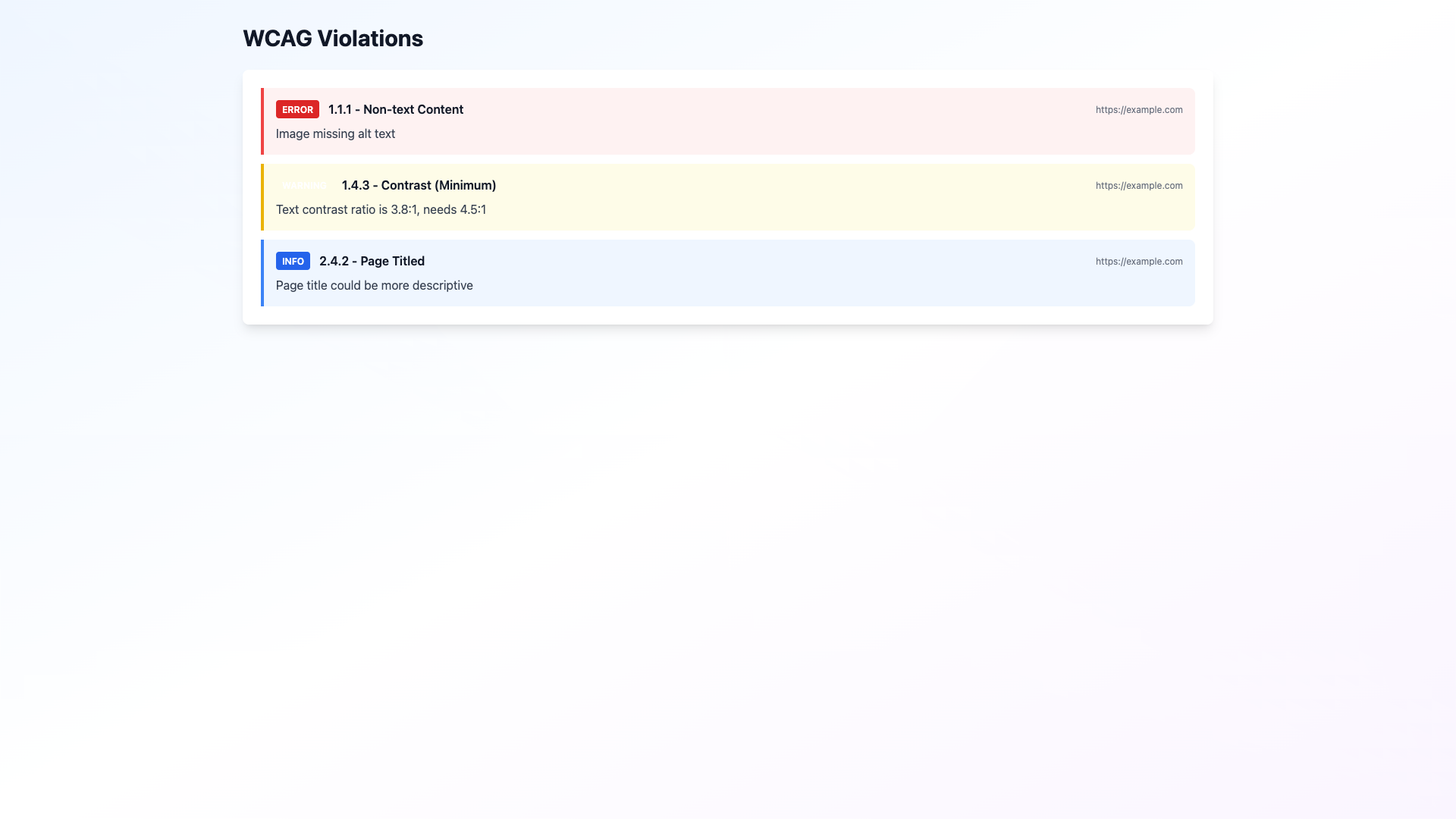
Examine the comprehensive violations list, where each issue is clearly categorized by WCAG criterion ID, severity level, and precise element location.

4

Assess Compliance Scores

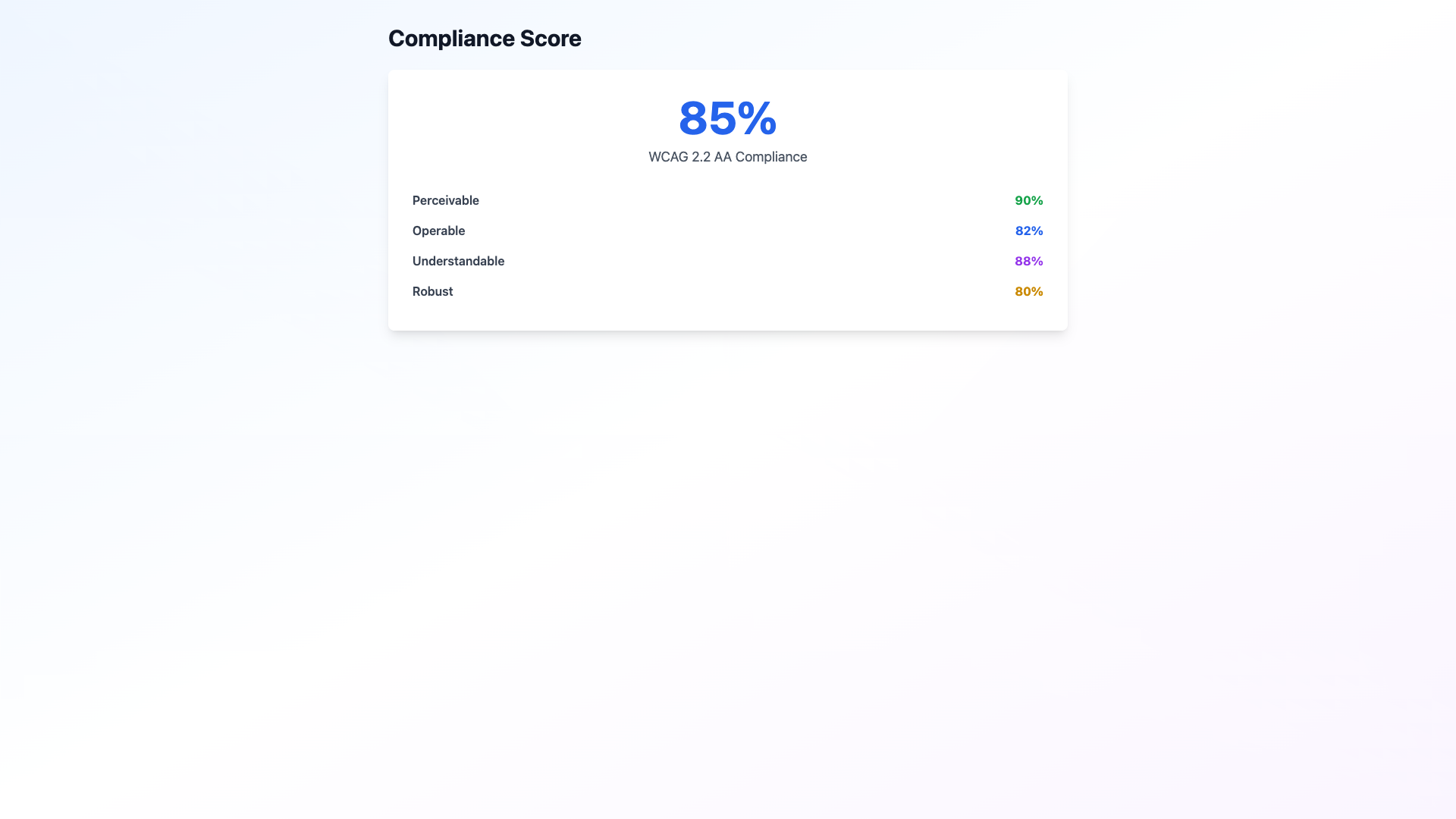
Evaluate your compliance score breakdown across the four WCAG principles (Perceivable, Operable, Understandable, Robust) and by compliance level (A, AA, AAA).

Visual Guide

Screenshot 1 for Chapter 1: Comprehensive WCAG 2.2 AA Compliance Analysis

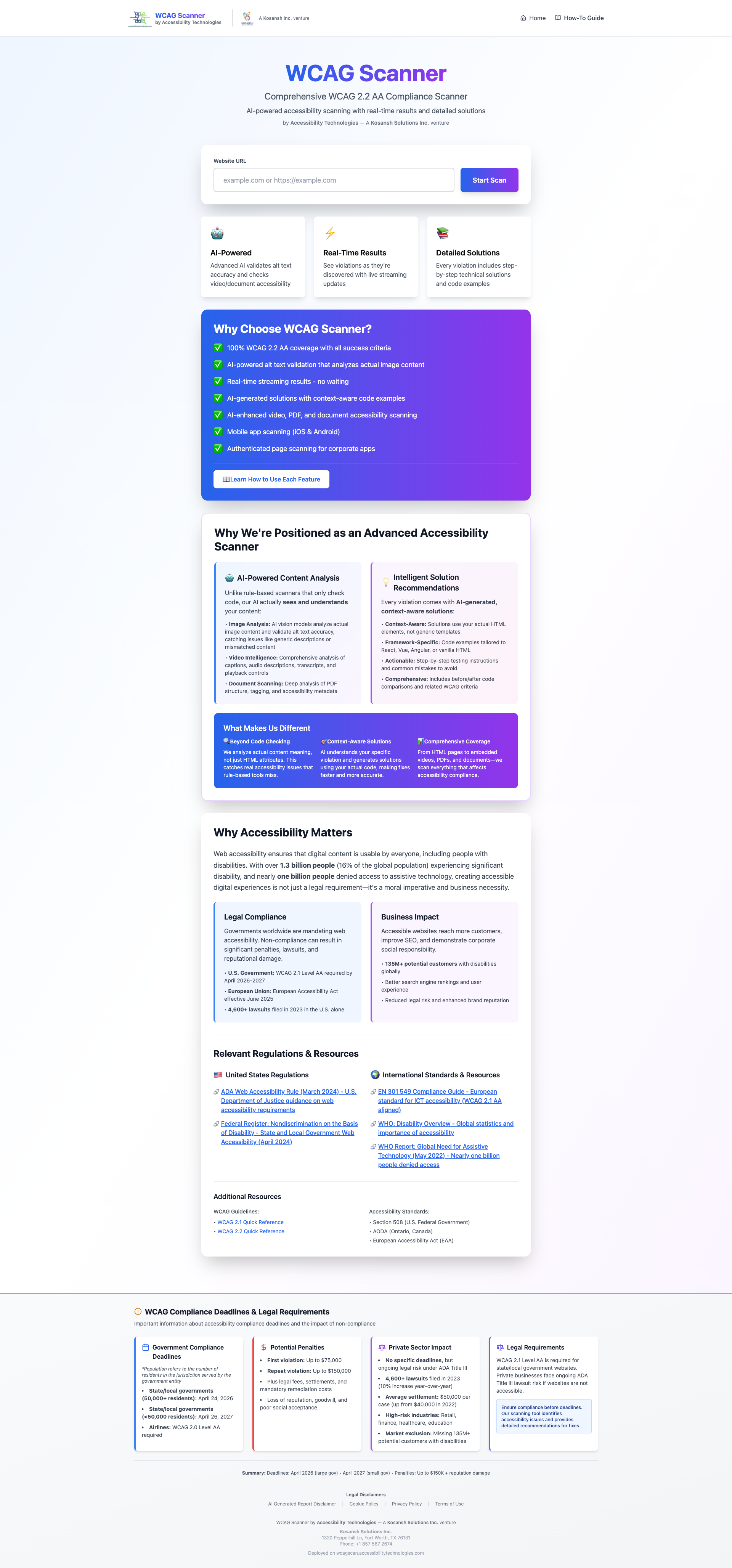
wcag home page

Screenshot 2 for Chapter 1: Comprehensive WCAG 2.2 AA Compliance Analysis

wcag dashboard violations

Screenshot 3 for Chapter 1: Comprehensive WCAG 2.2 AA Compliance Analysis

wcag violations list

Screenshot 4 for Chapter 1: Comprehensive WCAG 2.2 AA Compliance Analysis

wcag compliance score

Strategic Value

This comprehensive analysis provides the foundation for prioritizing remediation efforts. By understanding your compliance posture across all WCAG 2.2 criteria, you can allocate resources effectively and address the most critical barriers to accessibility first.

Chapter 2

AI-Powered Alt Text Validation

Intelligent Image Content Analysis and Validation

Leverage advanced artificial intelligence to validate the accuracy and contextual relevance of alternative text, ensuring images are meaningfully described for users relying on assistive technologies.

Step-by-Step Process

1

Automatic AI Analysis

AI-powered validation is enabled by default for all scans. The system automatically detects and analyzes every image on your website using advanced vision models.

2

Review Accuracy Scores

Examine accuracy scores (0-100) that compare your existing alt text against the actual image content. Scores above 90 indicate excellent alignment, while scores below 50 suggest significant improvements are needed.

3

Access AI Recommendations

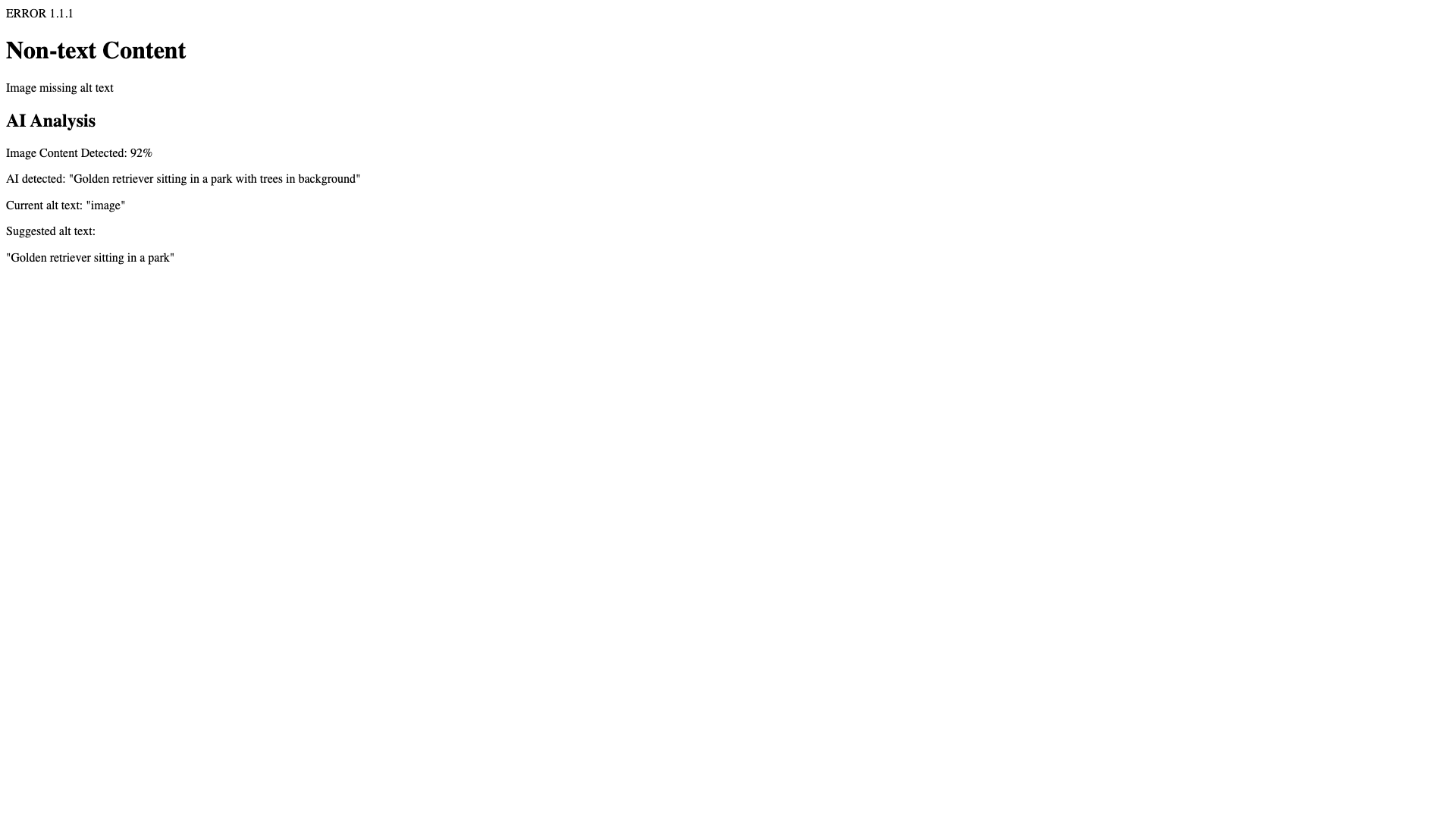
For each image analyzed, view AI-generated alternative text suggestions that accurately describe the visual content, accounting for context and purpose within your website.

4

Identify Improvement Opportunities

The system automatically flags generic descriptions, missing contextual details, and inaccurate representations, enabling targeted improvements to your alt text strategy.

Visual Guide

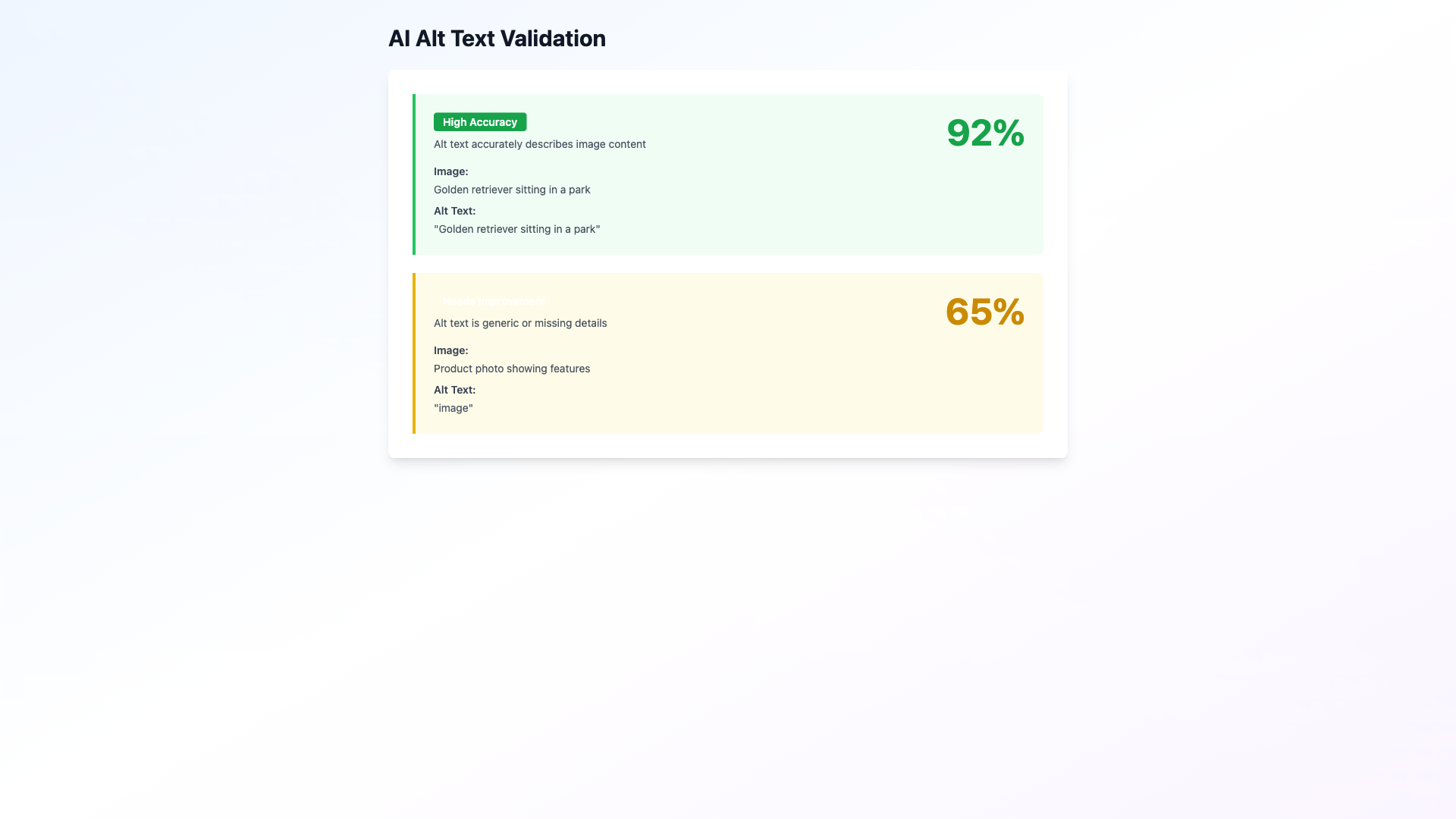
Screenshot 1 for Chapter 2: AI-Powered Alt Text Validation

ai scan options

Screenshot 2 for Chapter 2: AI-Powered Alt Text Validation

ai validation results

Screenshot 3 for Chapter 2: AI-Powered Alt Text Validation

ai solution page

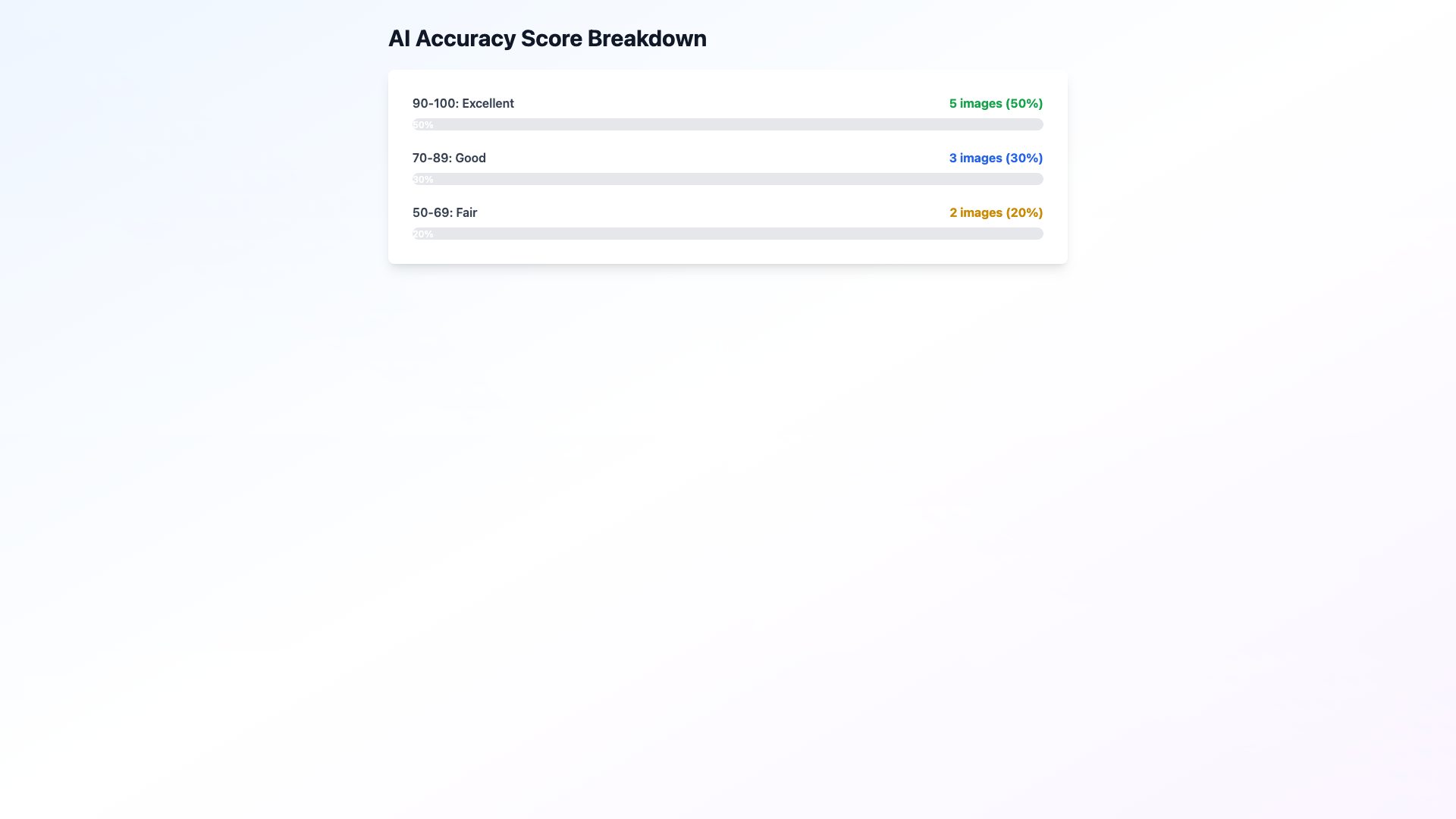
Screenshot 4 for Chapter 2: AI-Powered Alt Text Validation

ai accuracy scores

Why This Matters

Traditional accessibility checkers only verify that alt text exists—they cannot assess whether the text accurately describes the image. Our AI-powered approach analyzes actual image content, catching subtle but critical issues like generic descriptions ("dog" for a specific golden retriever) or missing contextual information (a chart without data description).

Understanding Accuracy Scores

90-100Excellent

Alt text accurately and comprehensively describes the image content

70-89Good

Minor contextual improvements may enhance user understanding

50-69Fair

Some inaccuracies or missing details require attention

0-49Poor

Alt text is generic, inaccurate, or lacks essential descriptive information

Chapter 3

Real-Time Compliance Monitoring

Instant Insights for Immediate Action

Receive immediate feedback as compliance issues are discovered, enabling proactive remediation without waiting for complete scan completion.

Step-by-Step Process

1

Access Live Dashboard

Upon initiating a scan, you are immediately presented with an interactive dashboard that begins displaying results in real-time.

2

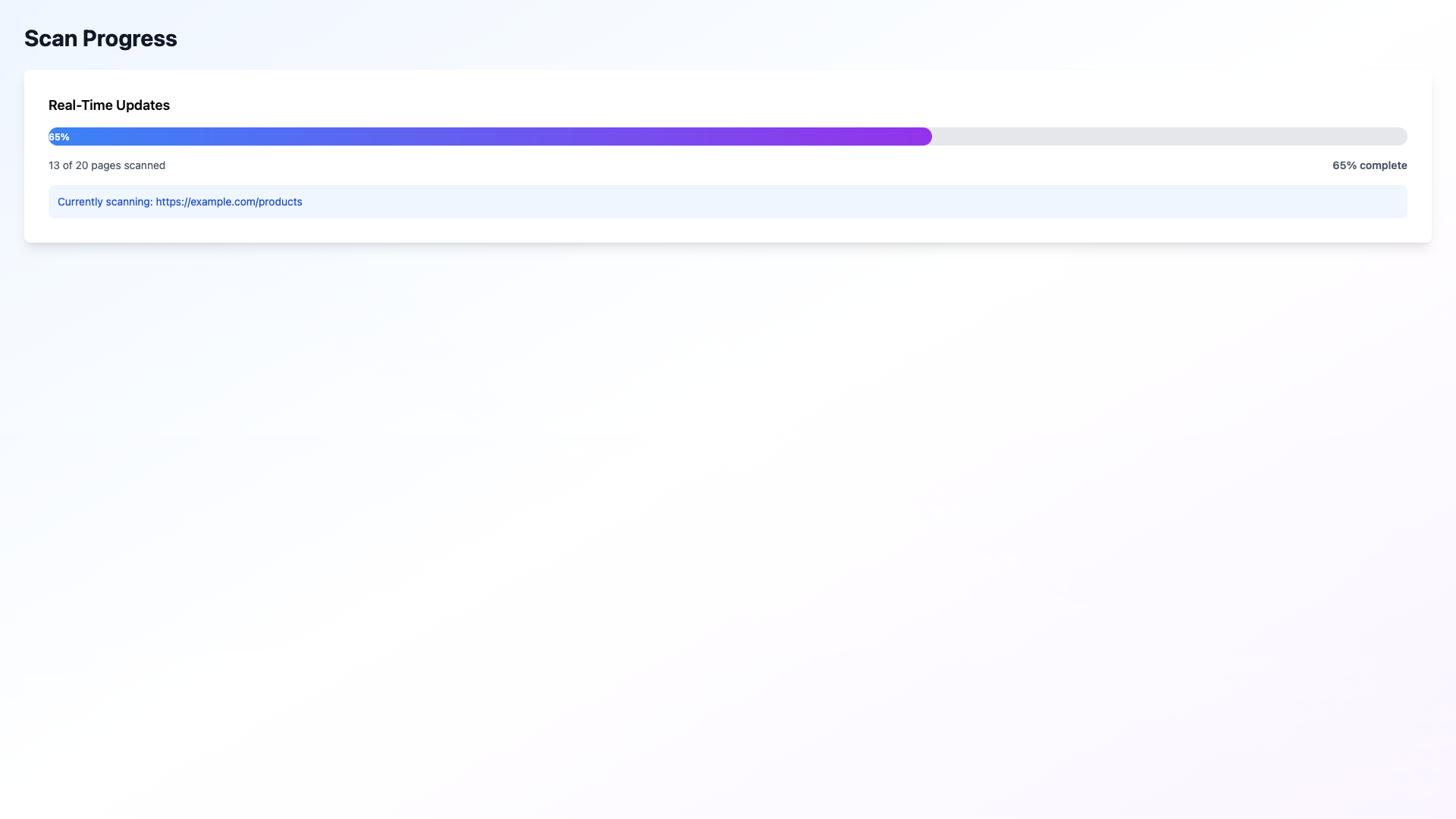
Track Progress Dynamically

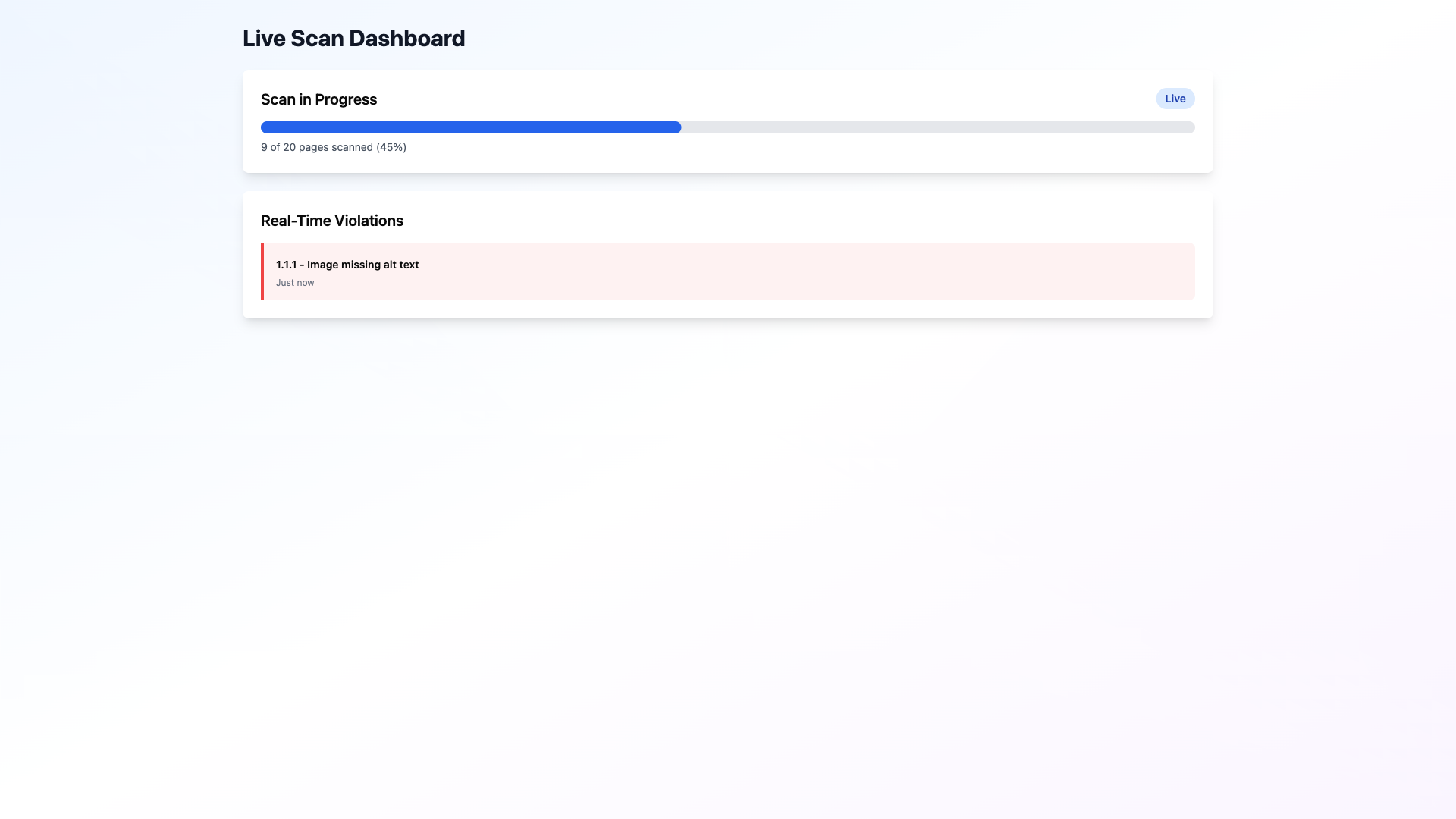
Monitor the progress bar as it updates in real-time, showing pages being scanned and violations discovered as analysis progresses.

3

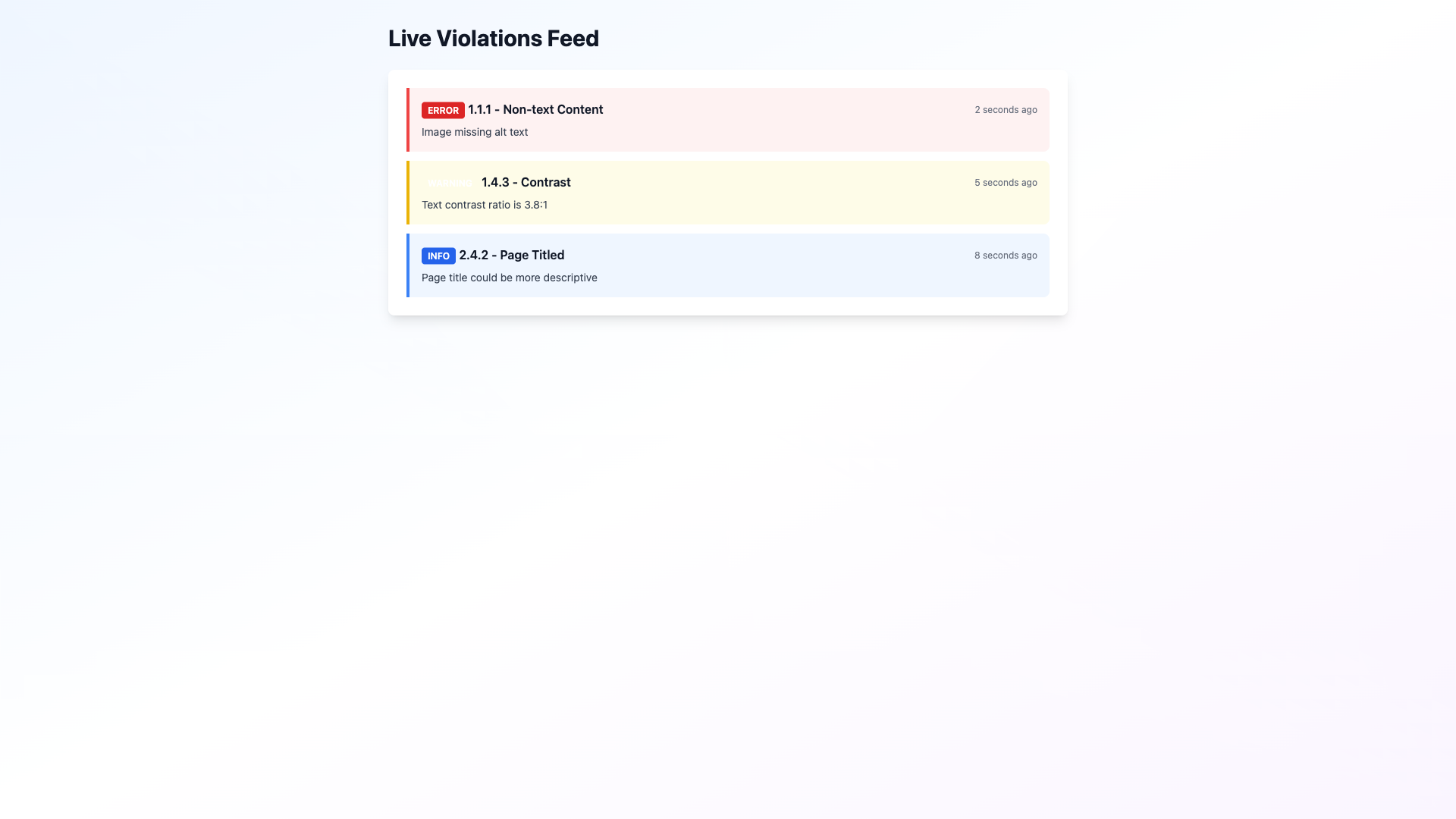
Review Streaming Violations

Watch violations appear in your feed as they are identified, each with timestamp, page context, and direct links to detailed solutions.

4

Export Results Anytime

Generate compliance reports at any point during the scan process, allowing you to capture current findings without waiting for completion.

Visual Guide

Screenshot 1 for Chapter 3: Real-Time Compliance Monitoring

realtime dashboard instant

Screenshot 2 for Chapter 3: Real-Time Compliance Monitoring

realtime progress bar

Screenshot 3 for Chapter 3: Real-Time Compliance Monitoring

realtime violations feed

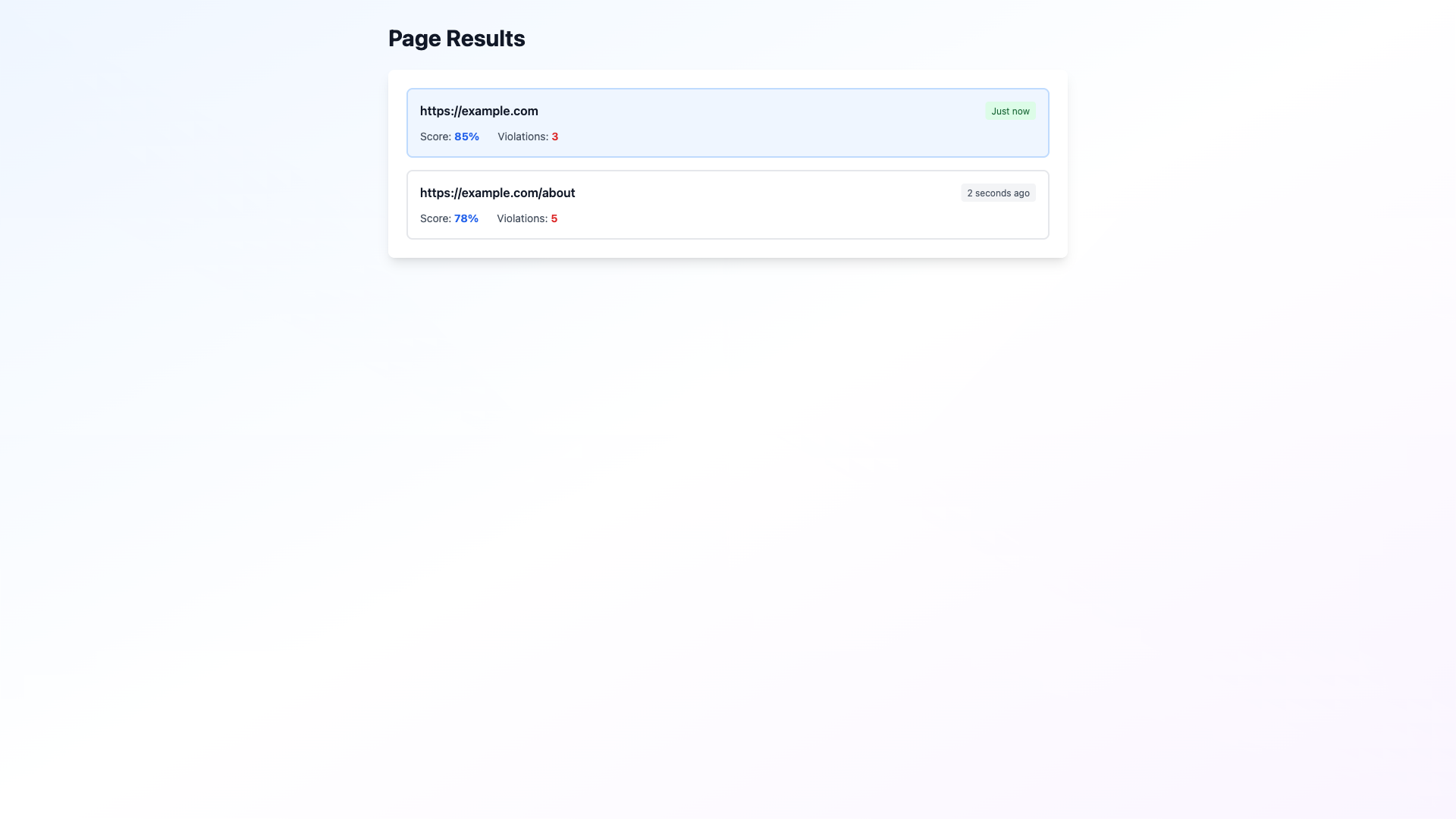
Screenshot 4 for Chapter 3: Real-Time Compliance Monitoring

realtime page results

Operational Advantage

Real-time monitoring transforms compliance assessment from a batch process into an interactive experience. Your team can begin addressing issues immediately, reducing time-to-remediation and enabling agile compliance management.

Chapter 4

Intelligent Solution Generation

Context-Aware Remediation Guidance

Every identified violation includes comprehensive, AI-generated solutions with framework-specific code examples tailored to your actual implementation.

Step-by-Step Process

1

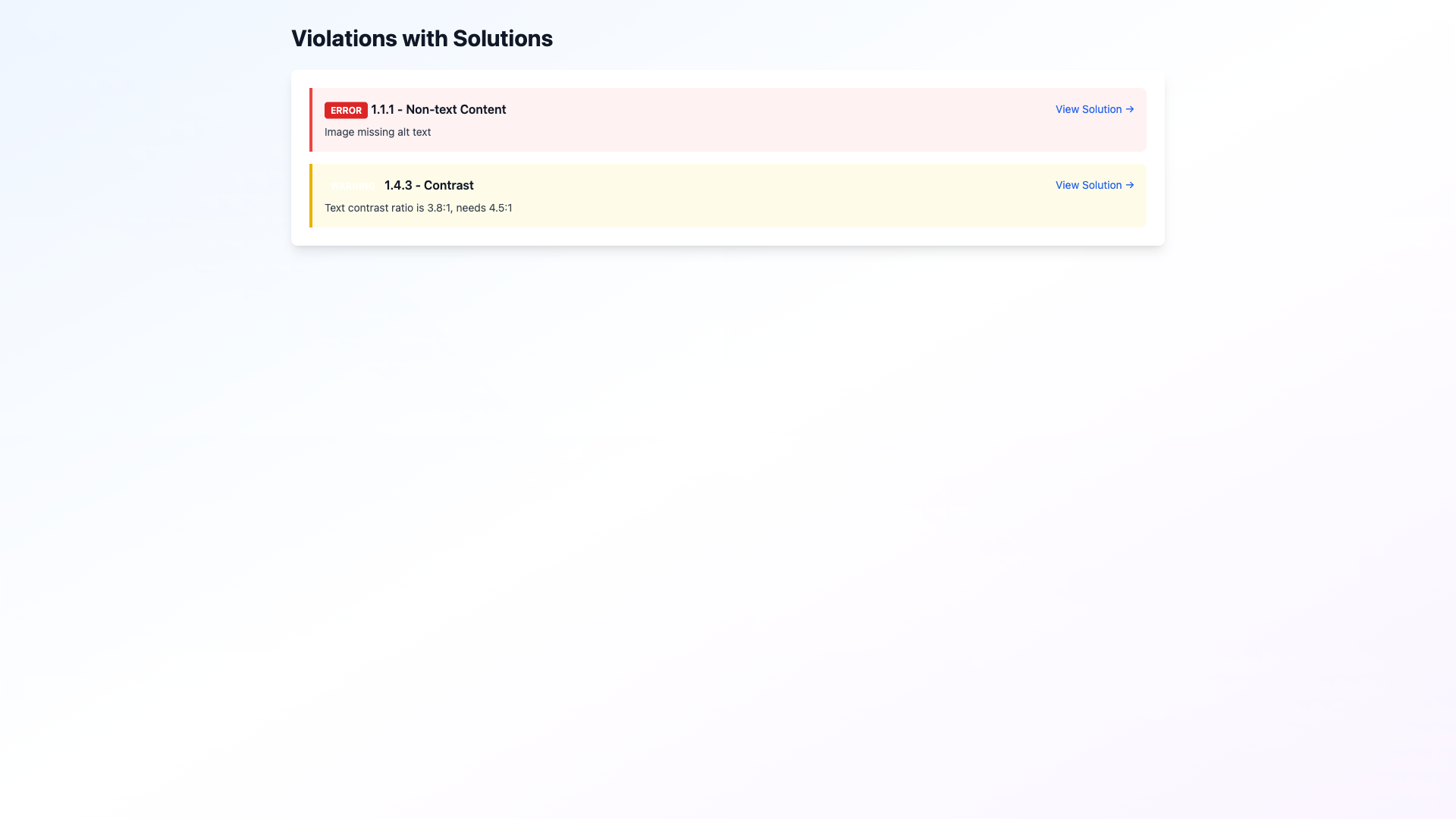
Navigate to Solution Details

Click any violation in your dashboard to access a dedicated solution page with comprehensive remediation guidance.

2

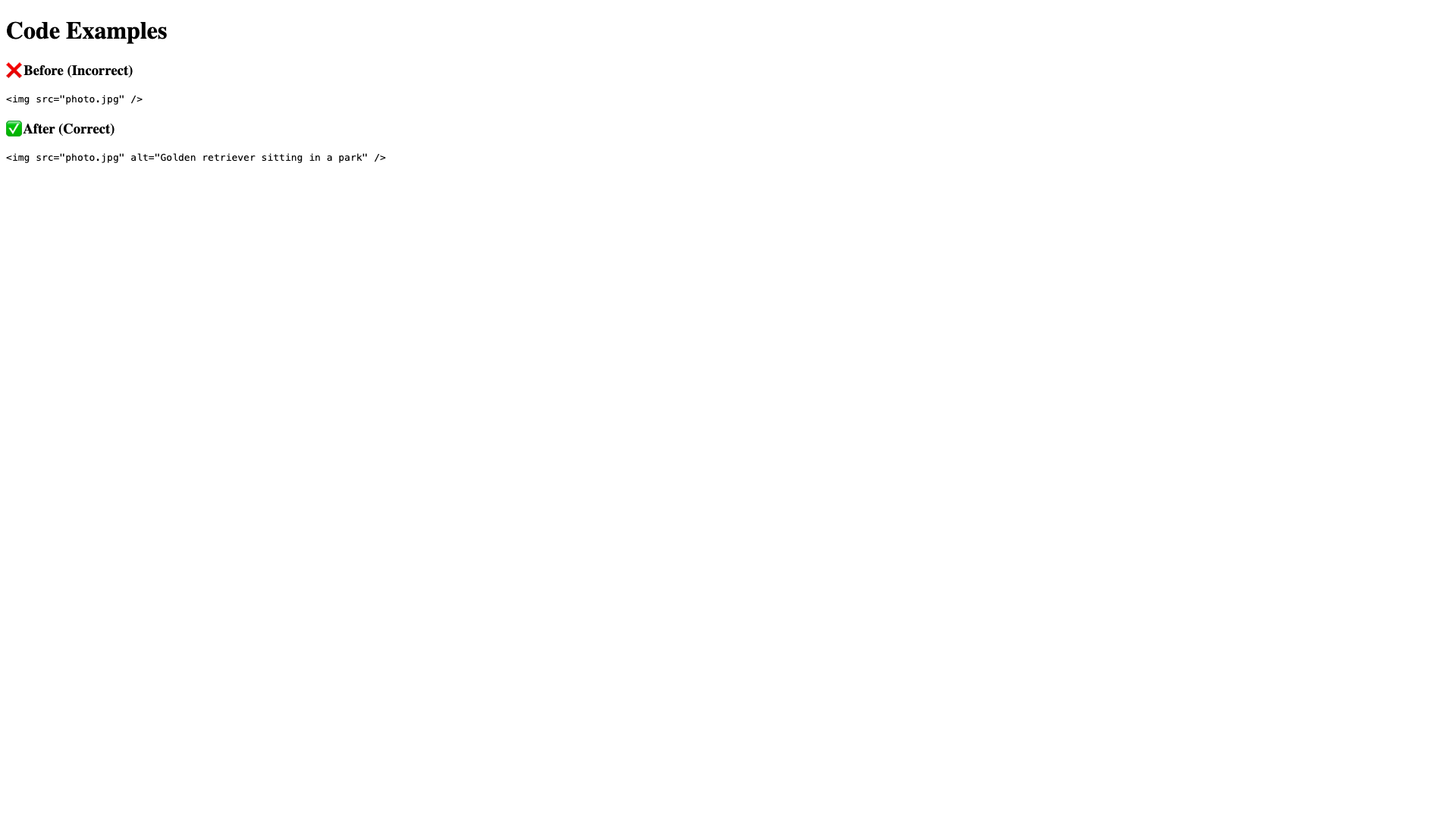
Review Before-and-After Comparisons

Examine side-by-side code comparisons showing your current implementation alongside the corrected version, using your actual HTML elements and structure.

3

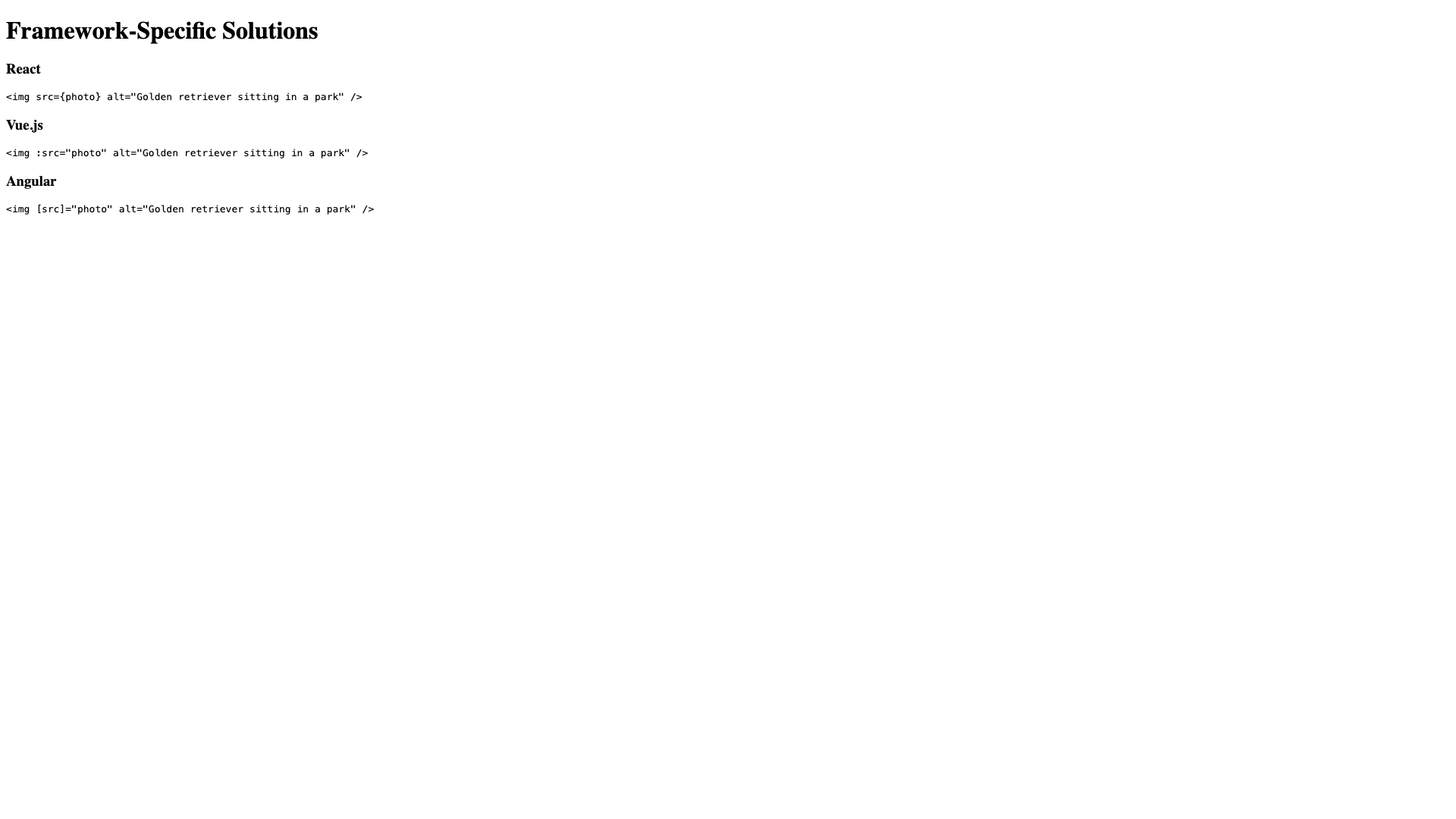
Access Framework-Specific Guidance

Obtain solutions tailored to your technology stack, including HTML, React, Vue.js, and Angular implementations, with copy-ready code examples.

4

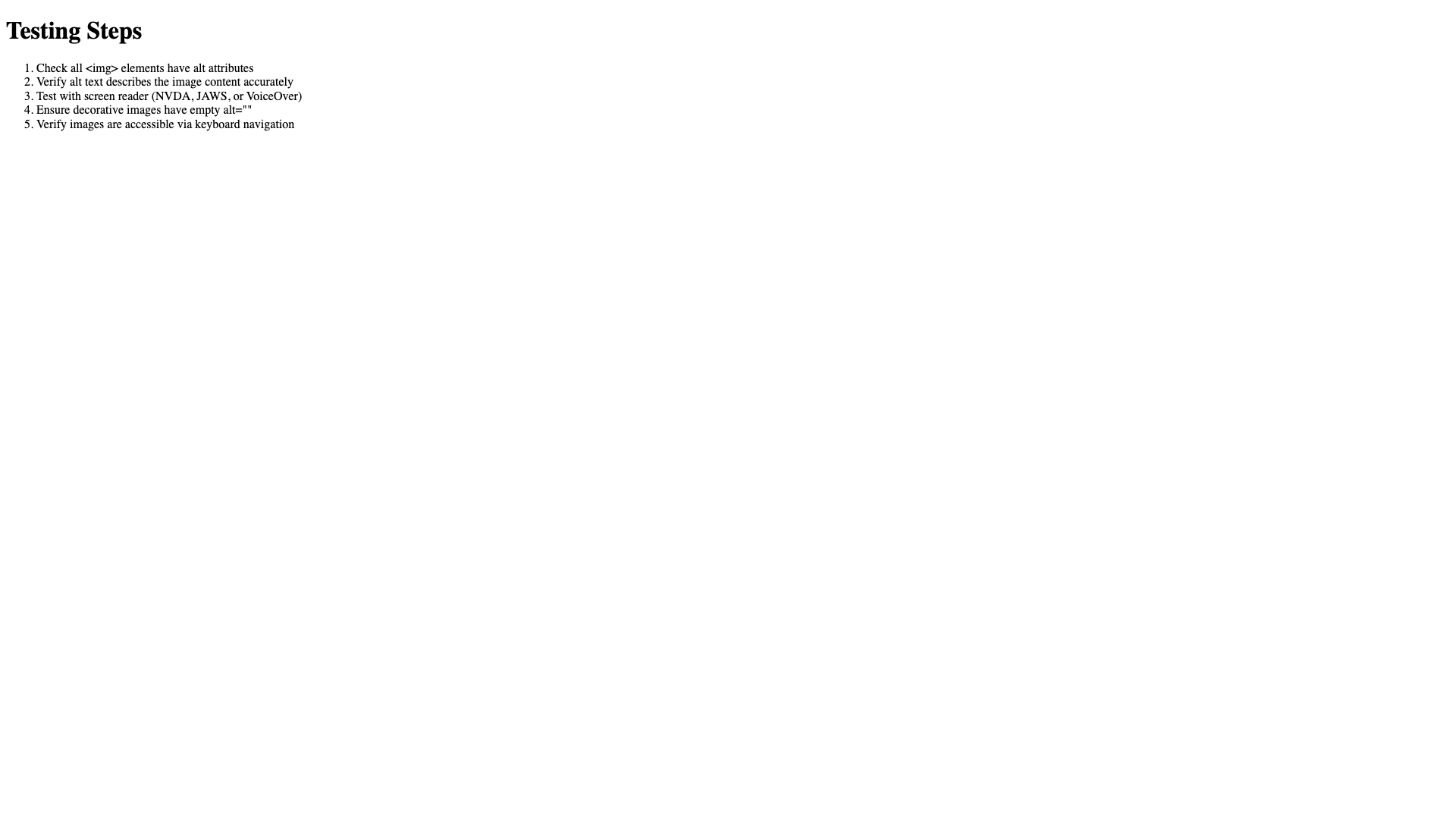
Follow Testing Protocols

Utilize step-by-step testing instructions to verify your fixes, ensuring compliance is achieved and maintained.

5

Leverage Additional Resources

Access curated resources, common pitfalls to avoid, and related WCAG criteria to deepen your understanding and prevent similar issues.

Visual Guide

Screenshot 1 for Chapter 4: Intelligent Solution Generation

solutions violations list

Screenshot 2 for Chapter 4: Intelligent Solution Generation

solutions code comparison

Screenshot 3 for Chapter 4: Intelligent Solution Generation

solutions framework specific

Screenshot 4 for Chapter 4: Intelligent Solution Generation

solutions testing steps

Strategic Impact

Generic solutions provide limited value when addressing specific code implementations. Our AI analyzes your violation context, understands your codebase structure, and delivers actionable solutions that integrate seamlessly with your existing code, dramatically reducing remediation time and complexity.

Chapter 5

Comprehensive Media and Document Analysis

Accessibility Assessment Beyond HTML

Extend your compliance assessment to embedded videos, PDF documents, and other media formats that are critical components of modern web experiences. Now with direct PDF URL scanning and YouTube/Vimeo iframe detection.

Step-by-Step Process

1

Scan Direct PDF URLs

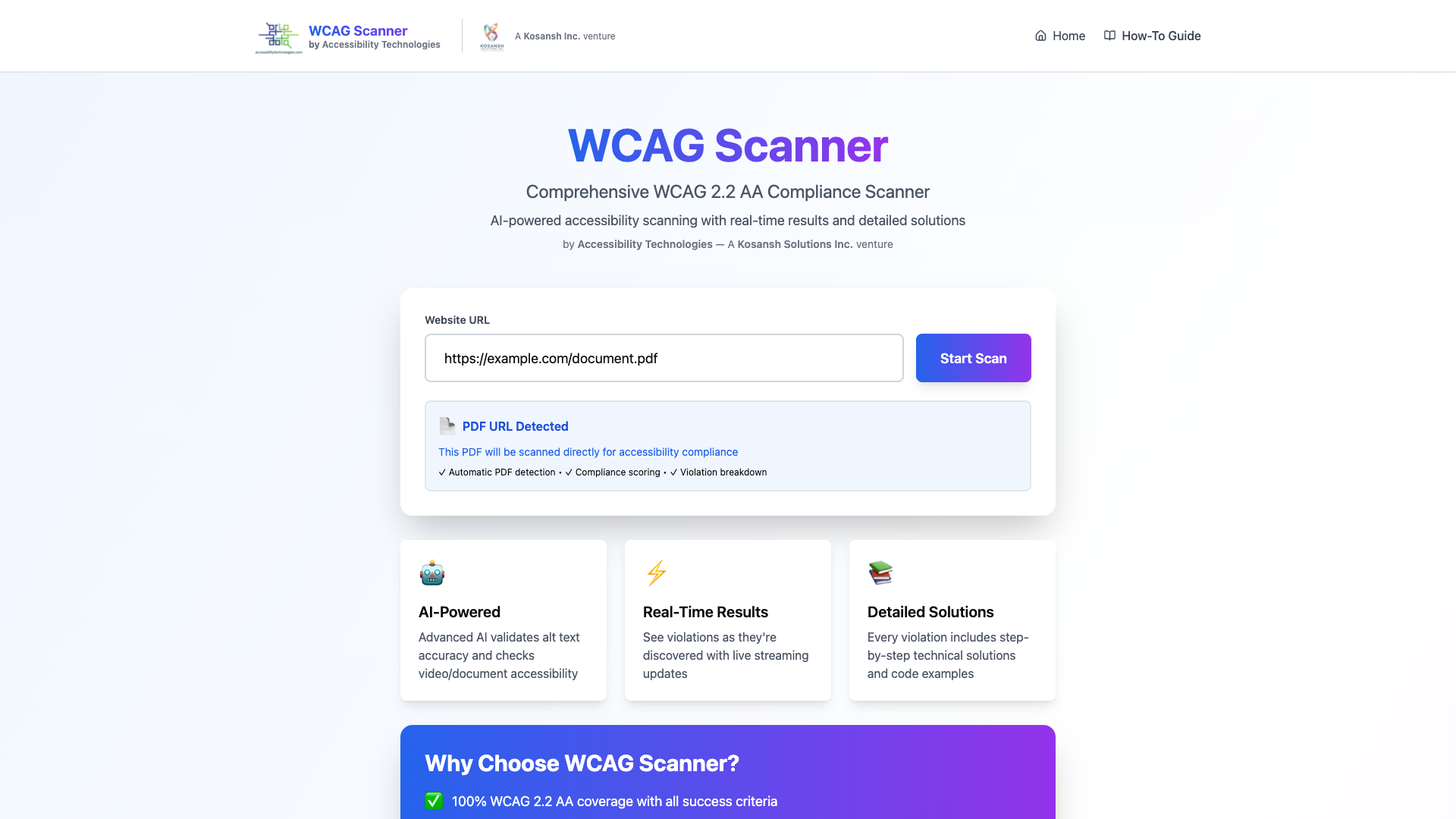
Enter a PDF URL directly in the scanner to receive comprehensive compliance analysis. The system automatically detects PDF URLs and routes them to specialized PDF accessibility scanning, providing detailed scores and violation breakdowns without requiring the PDF to be embedded in a webpage.

2

Automatic Media Detection

The scanner automatically identifies videos, PDFs, and embedded documents across your website without requiring additional configuration. Video files are intelligently excluded from page discovery to prevent scanning failures.

3

Review Video Accessibility

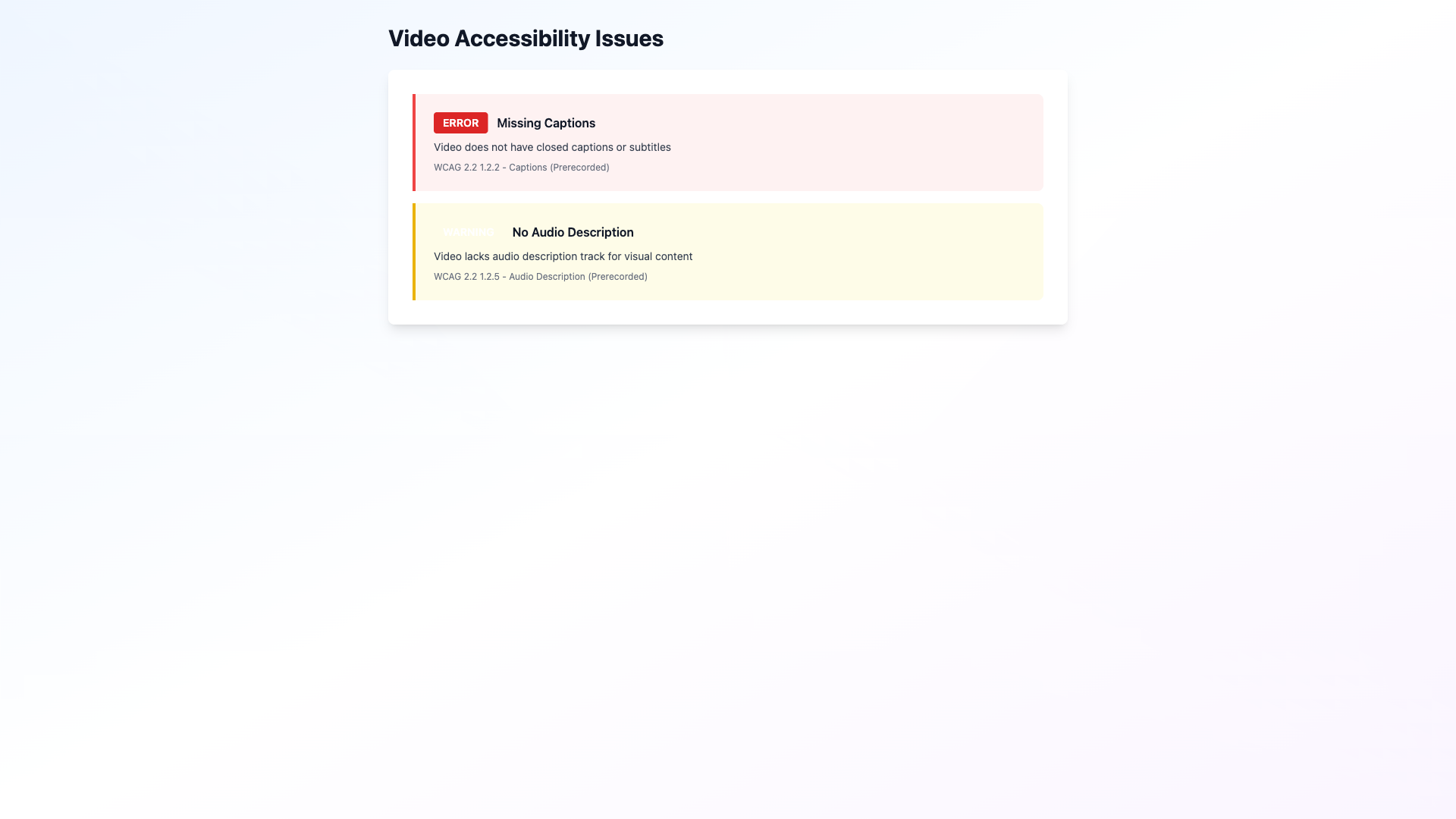
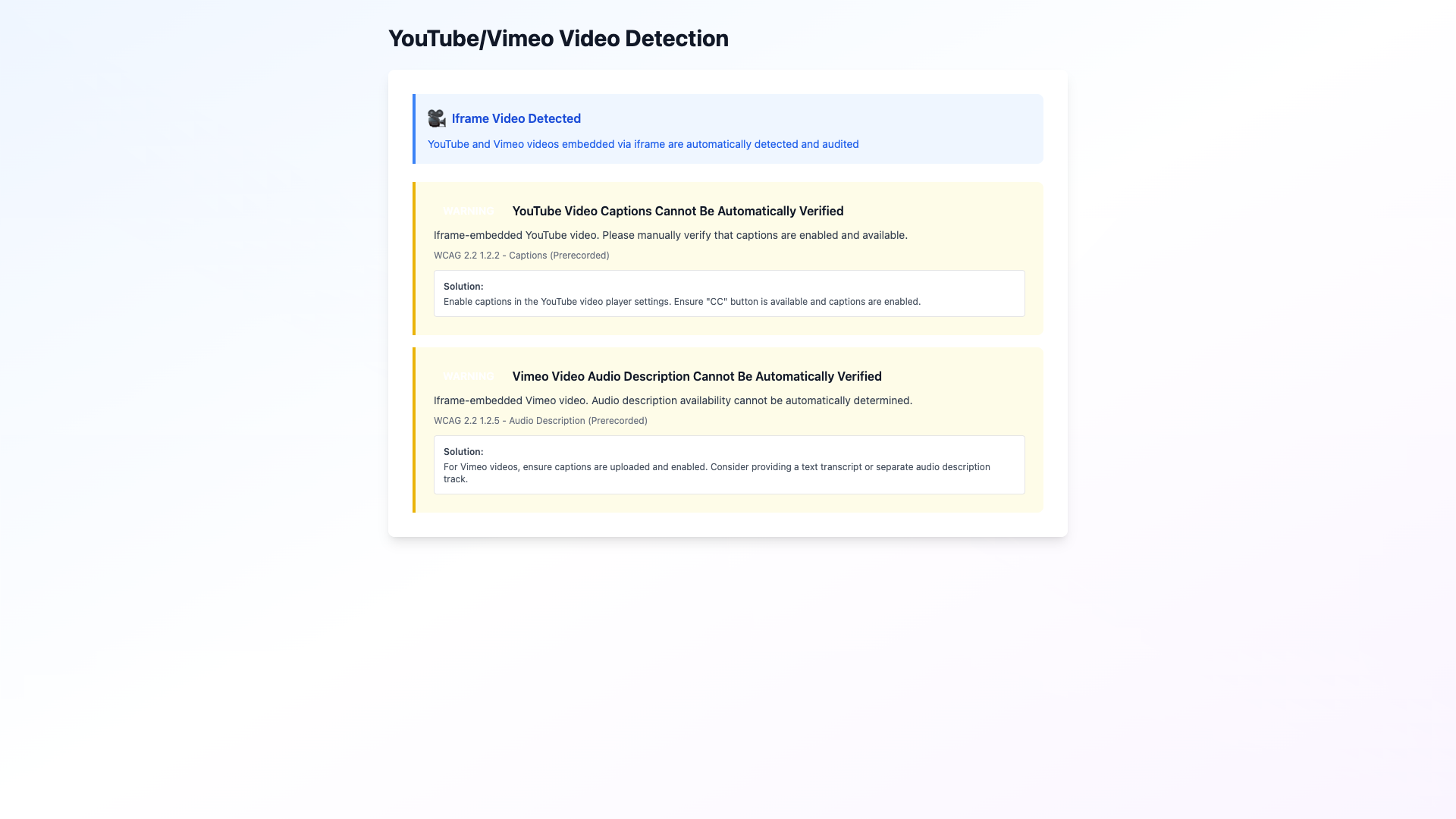
Examine comprehensive video accessibility analysis covering captions, subtitles, audio descriptions, transcript quality, and playback control accessibility. The system now detects YouTube and Vimeo videos embedded via iframe elements, providing accessibility warnings and recommendations for external video platforms.

4

Assess PDF Compliance

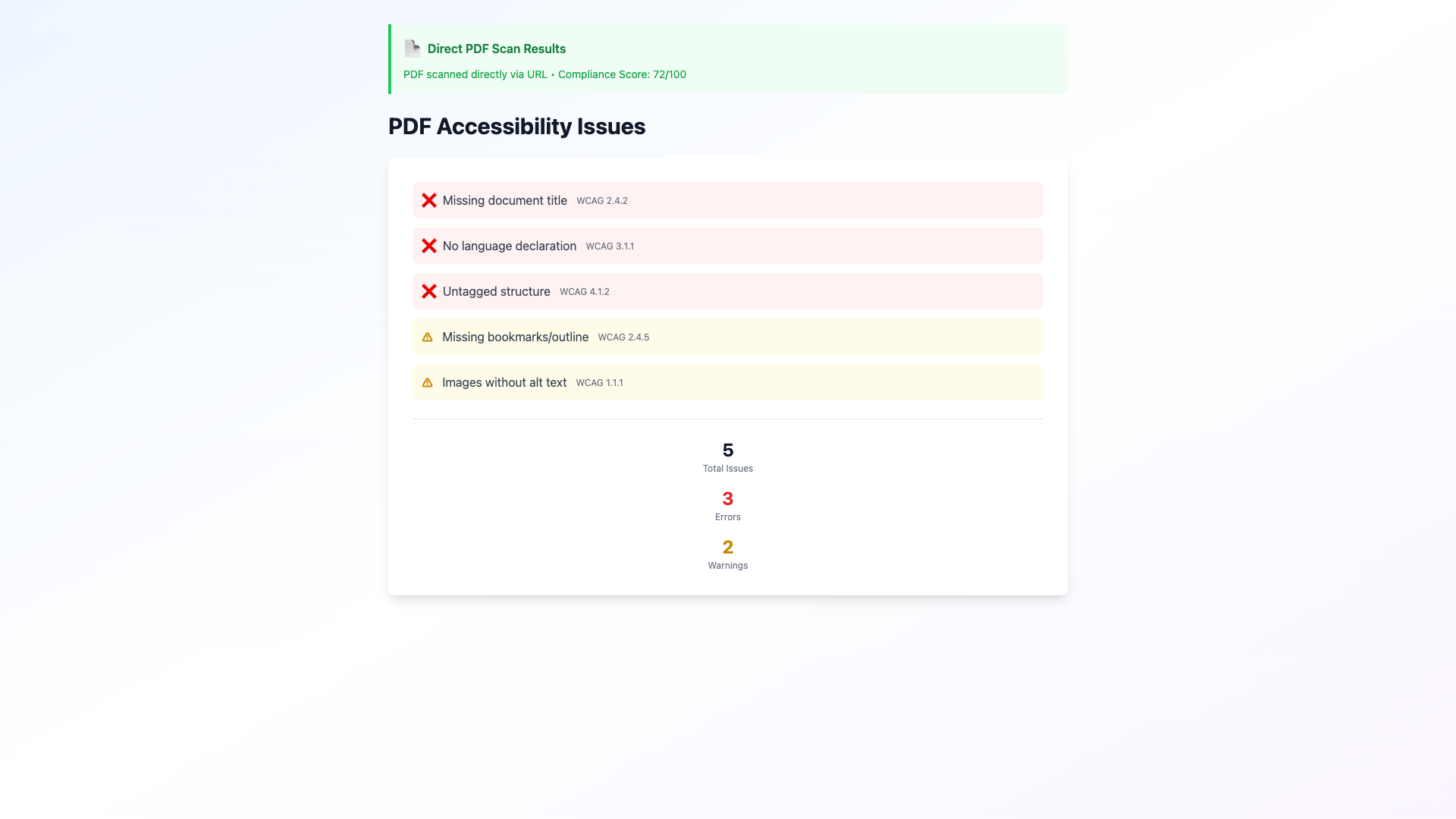
Evaluate PDF documents for proper structure, tagging, alternative text for embedded images, bookmarks, and accessibility metadata. Direct PDF scanning provides immediate compliance scores (0-100) with detailed breakdowns of accessibility issues.

5

Access Remediation Guidance

Receive specific, actionable recommendations for improving media accessibility, with detailed instructions for each identified issue. For YouTube/Vimeo videos, the system provides guidance on enabling captions and verifying accessibility features.

6

Monitor Media Scores

Track accessibility scores for all media content, enabling prioritization of remediation efforts based on impact and compliance gaps. PDF scans include comprehensive metadata about document structure, tagging, and accessibility features.

Visual Guide

Screenshot 1 for Chapter 5: Comprehensive Media and Document Analysis

media scan starting

Screenshot 2 for Chapter 5: Comprehensive Media and Document Analysis

media pdf direct scan

Screenshot 3 for Chapter 5: Comprehensive Media and Document Analysis

media video violations

Screenshot 4 for Chapter 5: Comprehensive Media and Document Analysis

media youtube vimeo detection

Screenshot 5 for Chapter 5: Comprehensive Media and Document Analysis

media pdf violations

Screenshot 6 for Chapter 5: Comprehensive Media and Document Analysis

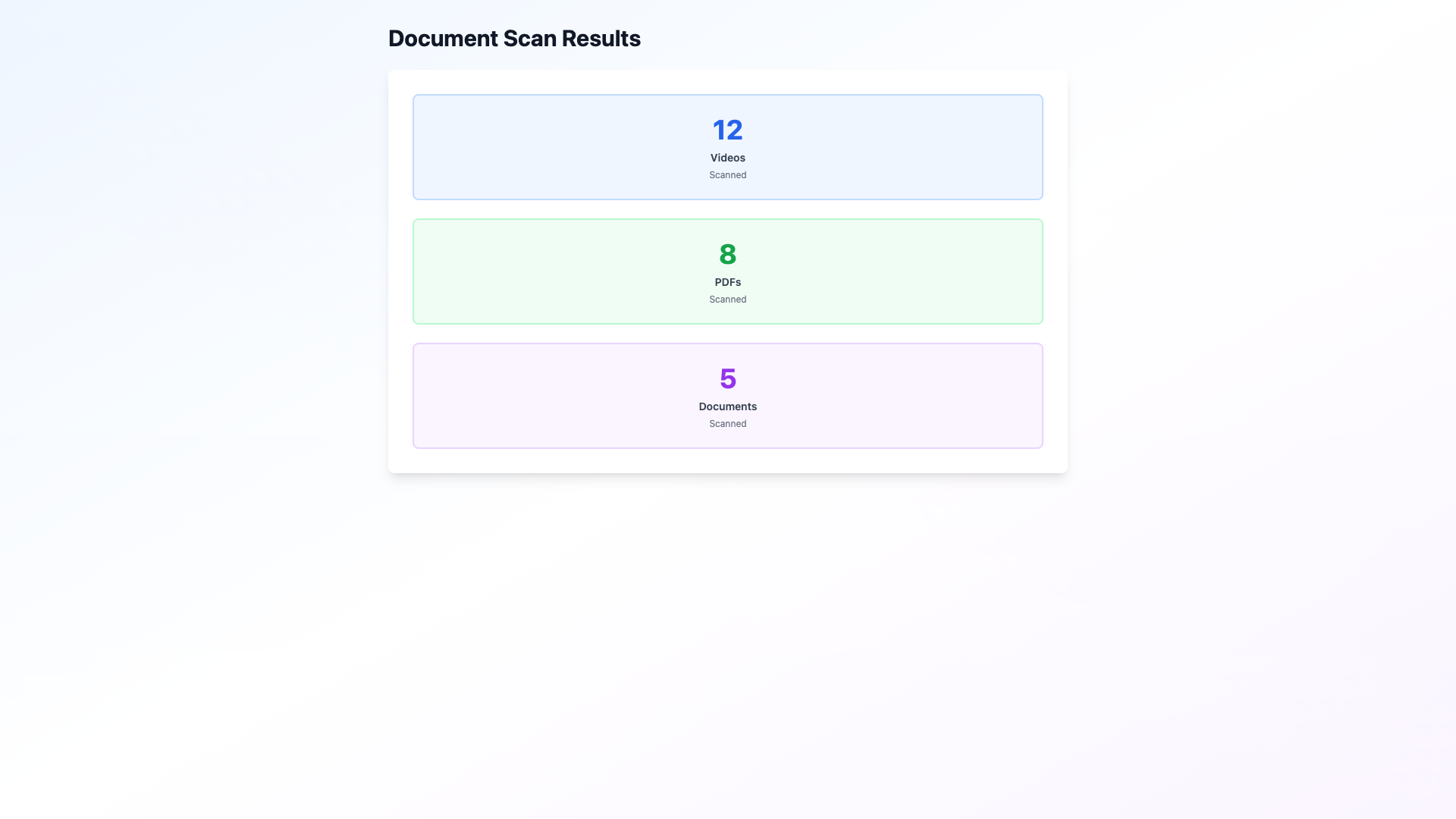
media document results

Comprehensive Coverage

Most accessibility scanners focus exclusively on HTML pages, overlooking the rich media content that defines modern web experiences. Our comprehensive analysis ensures that videos, documents, and embedded content meet accessibility standards, providing complete visibility into your digital accessibility posture. With direct PDF URL scanning and YouTube/Vimeo iframe detection, you can now audit media content regardless of how it's hosted or embedded.

Ready to Begin Your Compliance Journey?

Start scanning your website today and gain comprehensive insights into your accessibility compliance status. Our AI-powered analysis provides actionable guidance to help you achieve and maintain WCAG 2.2 Level AA compliance.